
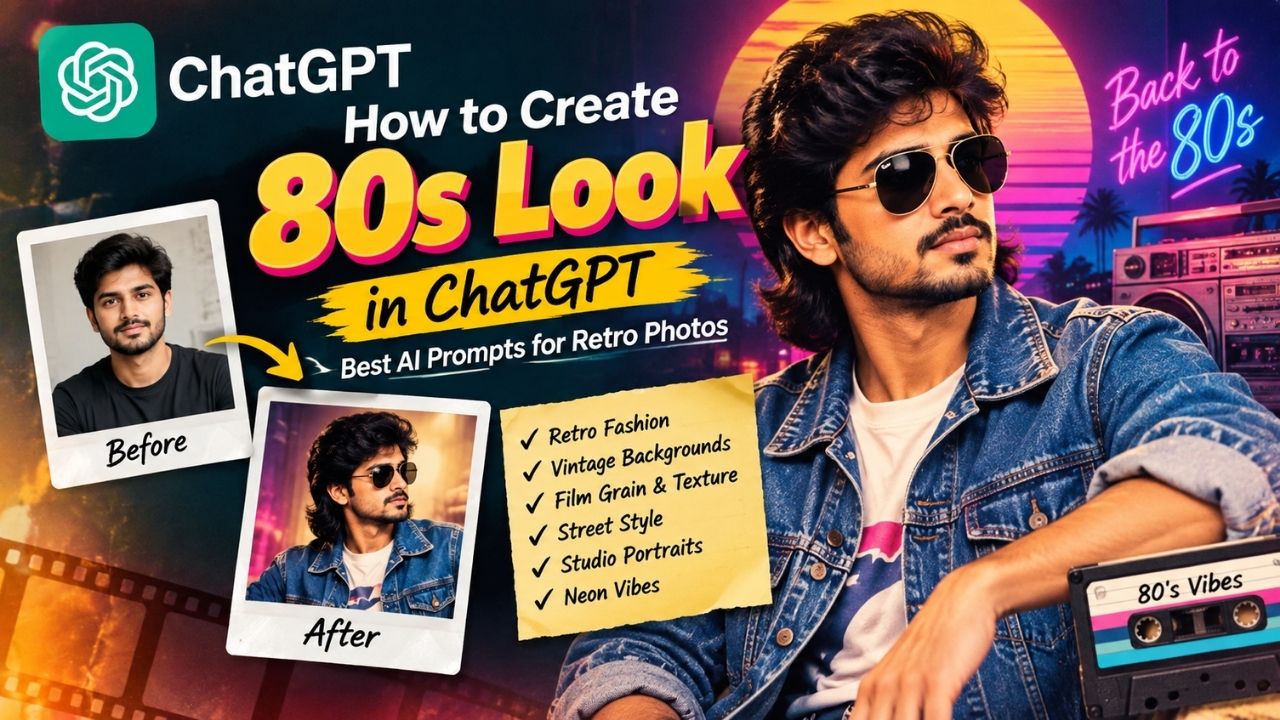
Want to transform a modern photo into a stylish 1980s-inspired retro image? With ChatGPT’s image generation and editing capabilities, you can create an authentic 80s look by using a well-written AI prompt.
From vintage hairstyles and classic clothing to film grain, warm colors, old cameras, and retro backgrounds, the right prompt can completely change the mood of your photo.
In this guide, we explain how to create an 80s look in ChatGPT and provide ready-to-use prompts for different retro styles.
What Is an 80s Look?
The 1980s had a distinctive visual style that included bold fashion, colorful clothing, dramatic hairstyles, analog photography, neon lighting, and vintage camera effects.
An AI-generated 80s-style image can recreate these elements while keeping the overall appearance of the subject recognizable.
Common elements of an 80s aesthetic include:
- Vintage hairstyles
- Denim jackets and leather jackets
- Colorful shirts and sweaters
- High-waisted jeans
- Retro sunglasses
- Neon lights
- Film grain
- Soft focus
- Analog camera texture
- Warm or slightly faded colors
- Vintage backgrounds
- Flash photography
- 1980s studio portrait style
How to Create an 80s Look in ChatGPT
Creating an 80s-style image in ChatGPT is simple.
Step 1: Open ChatGPT
Open ChatGPT and start a new conversation that supports image generation or image editing.
Step 2: Upload Your Photo
If you want to transform an existing photograph, upload the image to ChatGPT.
For the best result, use a clear photo where the face and clothing are visible.
Step 3: Enter an 80s AI Prompt
Tell ChatGPT exactly how you want the photo transformed.
For example, you can specify:
- Clothing
- Hairstyle
- Background
- Lighting
- Camera style
- Colors
- Film texture
- Overall mood
Step 4: Generate the Image
Submit your prompt and let ChatGPT create the 80s-inspired version.
If the result isn’t exactly what you want, refine the prompt. You can ask for more authentic clothing, stronger film grain, a different background, or a specific 1980s photography style.
Best 80s Look Prompt for ChatGPT
Here is a general prompt you can copy and use:
“Transform this photo into an authentic 1980s-inspired portrait. Keep the person’s facial identity, facial features, skin tone and overall likeness recognizable. Give the subject a classic 1980s hairstyle and vintage 80s fashion, including a stylish denim or leather jacket and retro clothing. Use an authentic 1980s background with warm analog lighting. Add subtle 35mm film grain, natural film imperfections, slightly faded colors, soft focus, realistic vintage photography texture and subtle flash photography. Make the image look like it was genuinely photographed in the 1980s, not like a modern photo with a simple filter. Photorealistic, cinematic, nostalgic and highly detailed.”
80s Vintage Photo Prompt
For an old-fashioned family-photo appearance, try this:
“Turn this image into a realistic vintage 1980s photograph. Preserve the person’s identity and natural facial features. Use authentic 1980s clothing, hairstyle and styling. Add subtle Kodak-style 35mm film characteristics, natural grain, slight color fading, soft highlights, analog imperfections and gentle flash lighting. Create the feeling of an old family photograph taken with a film camera in the 1980s. Avoid modern fashion and modern digital photography.”
80s Street Style Prompt
Want a cool retro street-fashion image?
“Transform this photo into an authentic 1980s street-style portrait. Keep the person’s face and identity recognizable. Dress the subject in classic 80s street fashion with a denim jacket, high-waisted jeans, retro sneakers and vintage sunglasses. Add an urban 1980s street background, colorful storefronts and subtle neon lighting. Use realistic 35mm film grain, analog camera texture, slightly faded colors and vintage flash photography. Photorealistic and nostalgic.”
80s Studio Portrait Prompt
For a professional-looking vintage portrait:
“Create an authentic 1980s studio portrait from this photo. Preserve the person’s facial identity and natural appearance. Use classic 1980s hairstyle and fashion with a vintage studio wardrobe. Add a simple retro studio backdrop, soft studio lighting, subtle flash, 35mm film grain and realistic analog photography imperfections. Use slightly warm, faded colors and soft focus. The final image should look like a genuine professional portrait photographed in the 1980s.”
80s Neon Style Prompt
For a colorful retro aesthetic:
“Transform this image into a cinematic 1980s neon portrait while keeping the person’s face and identity recognizable. Use authentic 80s fashion, retro hairstyle and colorful clothing. Place the subject in a dark urban environment with pink, blue and purple neon lights. Add realistic analog film grain, subtle lens imperfections, soft glow, vintage flash and 35mm film texture. Make it look like an authentic 1980s photograph rather than a modern digital image.”
Tips for Better 80s AI Images
A good prompt should describe more than just the words “80s style.”
1. Mention Specific Clothing
Instead of simply saying “80s clothes,” describe the outfit.
For example:
- Denim jacket
- Leather jacket
- High-waisted jeans
- Vintage sweatshirt
- Retro sneakers
- Colorful patterned shirt
- Classic sunglasses
2. Describe the Photography
Adding photography details can make the image more convincing.
Use terms such as:
- 35mm film
- Analog photography
- Film grain
- Vintage flash
- Soft focus
- Slightly faded colors
- Natural film imperfections
3. Specify the Background
The background can strongly influence the final result.
You can request:
- 1980s bedroom
- Retro studio
- Old city street
- Vintage shopping mall
- Classic living room
- Neon-lit street
- Old-school café
4. Ask to Preserve Identity
If you are editing your own photo, include a clear instruction such as:
“Keep the person’s facial identity and natural facial features recognizable.”
This helps make the transformation about the style and era rather than changing the person completely.
80s Look Prompt Formula
You can also create your own prompts using this simple formula:
Subject + 80s clothing + hairstyle + background + lighting + camera style + film texture + mood
For example:
“Transform this portrait into a realistic 1980s photograph + classic denim jacket + vintage hairstyle + retro city street + warm flash lighting + 35mm film camera + natural film grain + nostalgic mood.”
Why Prompt Details Matter
AI image tools interpret your instructions based on the details you provide.
A short prompt such as:
“Make me look like the 80s.”
may produce a generic retro image.
A detailed prompt gives the AI more information about the desired:
- Fashion
- Era
- Photography
- Lighting
- Environment
- Colors
- Texture
- Mood
Therefore, specific prompts generally provide more control over the final visual style.
Final Thoughts
Creating an 80s look in ChatGPT is a fun way to give modern photos a nostalgic retro appearance. The key is to describe the complete visual style instead of relying only on the phrase “80s.”
For the most authentic results, combine 1980s fashion, hairstyles, analog photography, 35mm film grain, vintage lighting, period-appropriate backgrounds and slightly faded colors.
You can also experiment with different prompts to create everything from classic family portraits to 80s street fashion and neon cinematic photography.
Quick Copy-Paste Prompt
“Transform this photo into an authentic 1980s photograph. Keep the person’s facial identity and natural features recognizable. Add realistic 1980s fashion, hairstyle and accessories, a period-appropriate background, vintage flash lighting, 35mm analog film texture, natural film grain, subtle color fading, soft focus and realistic photographic imperfections. Avoid modern clothing, modern backgrounds and digital-looking effects. Make it look like a genuine photograph taken in the 1980s, photorealistic, nostalgic and cinematic.”
- 80s look ChatGPT prompt
- ChatGPT 80s photo prompt
- AI 80s photo editing
- 1980s vintage photo prompt
- retro photo prompt for ChatGPT
- 80s AI image prompt
- vintage photo editing with AI
- ChatGPT retro photo editing